Upload a photo of your kitchen, and roompano shows it with a new look: painted cabinets, different hardware, a fresh countertop, another style altogether. It keeps the angle of your original photo and focuses on finishes, so you can preview what paint, new counters or a style change might do to the room you already have, before you start buying samples or hiring help.
How it works
- Upload a photo of the kitchen. Shoot from the doorway or a corner so the cabinets and counters are in frame, in good daylight. Clear the counters first if you can.
- Pick a style, or describe what you want in the note box: "white Shaker cabinets, brass handles, a quartz countertop". The room type is already set to Kitchen.
- Choose what can change. By default the walls and floor stay as they are. Check Walls to change the backsplash and paint, and Floor to try new flooring.
- Generate. You get three variations per credit. Keep the best one, or tweak the note and run it again.
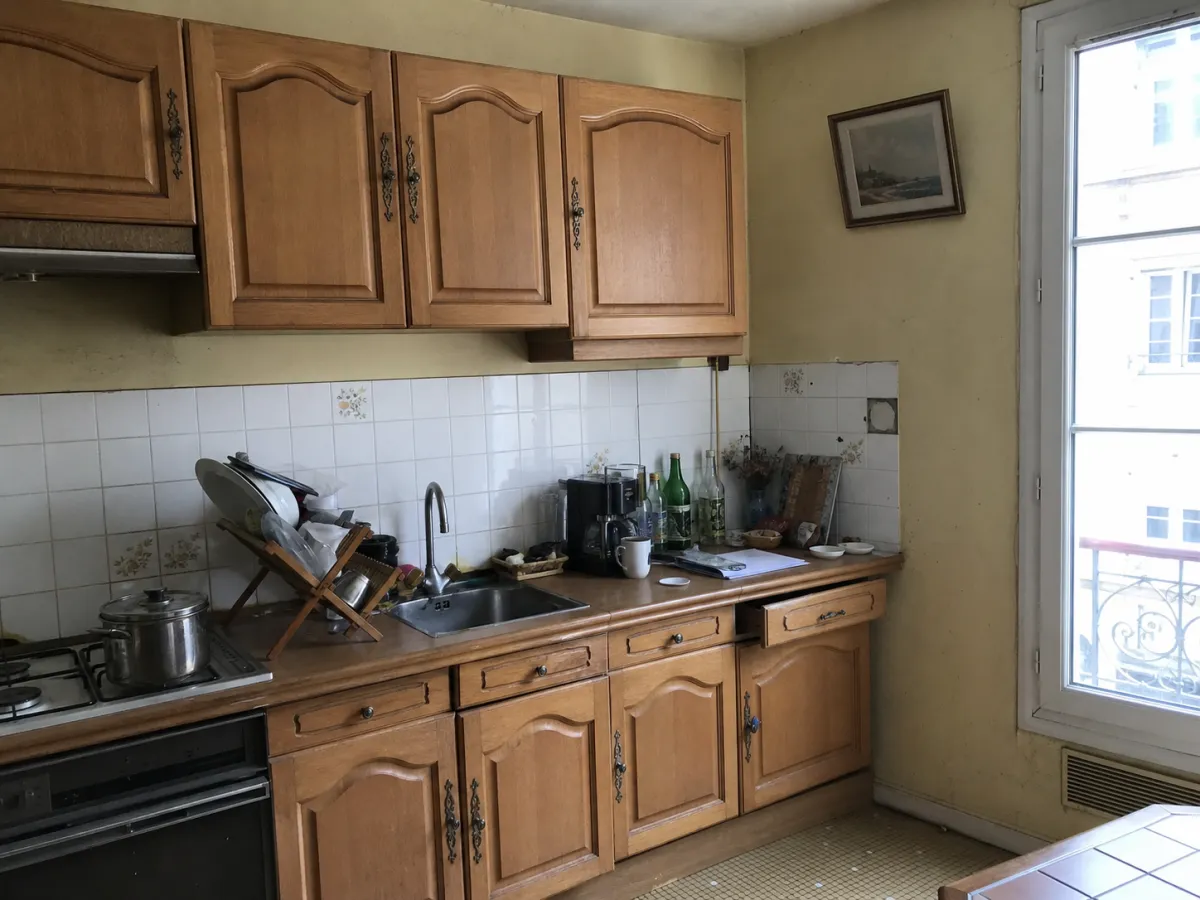 Before: a typical 1990s kitchen (AI-generated illustration)
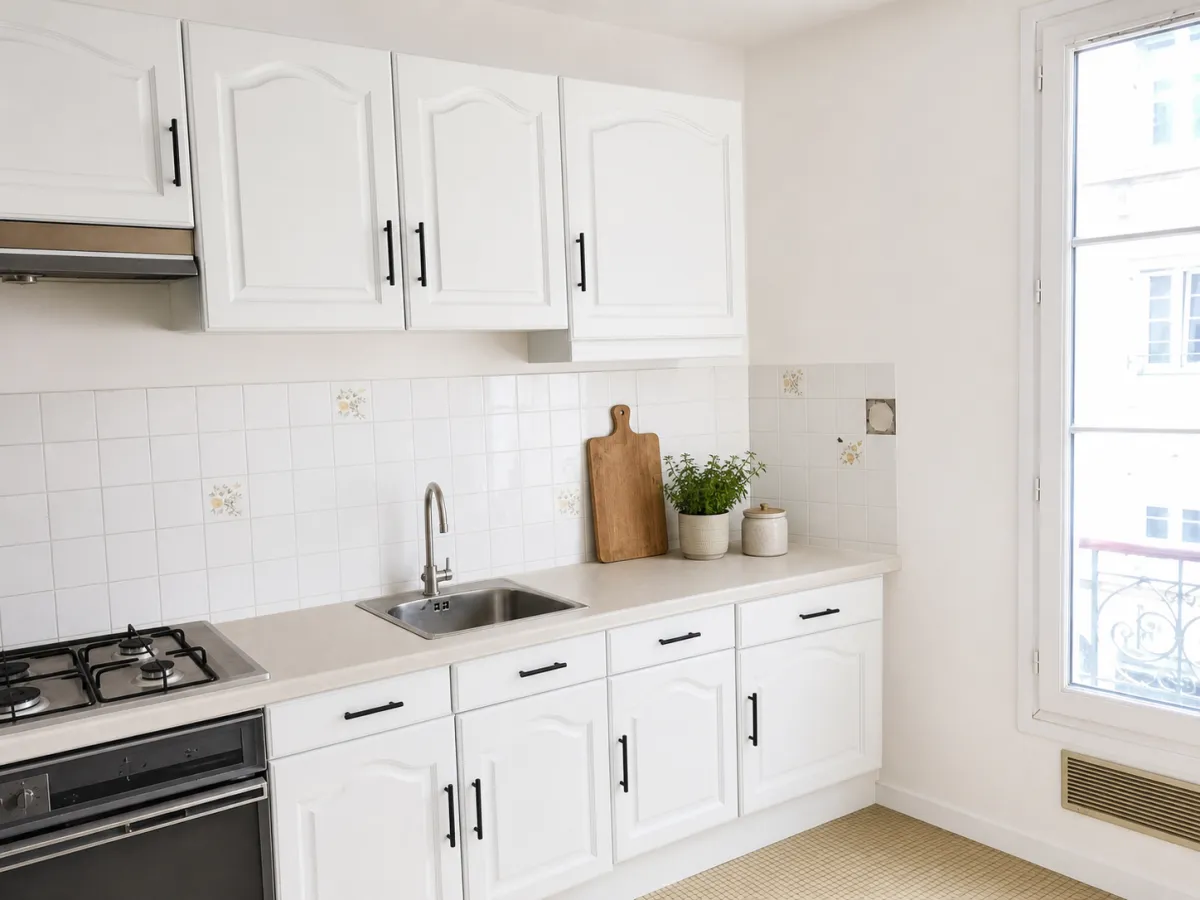 After: matte white cabinets and black hardware, from the same photo angle
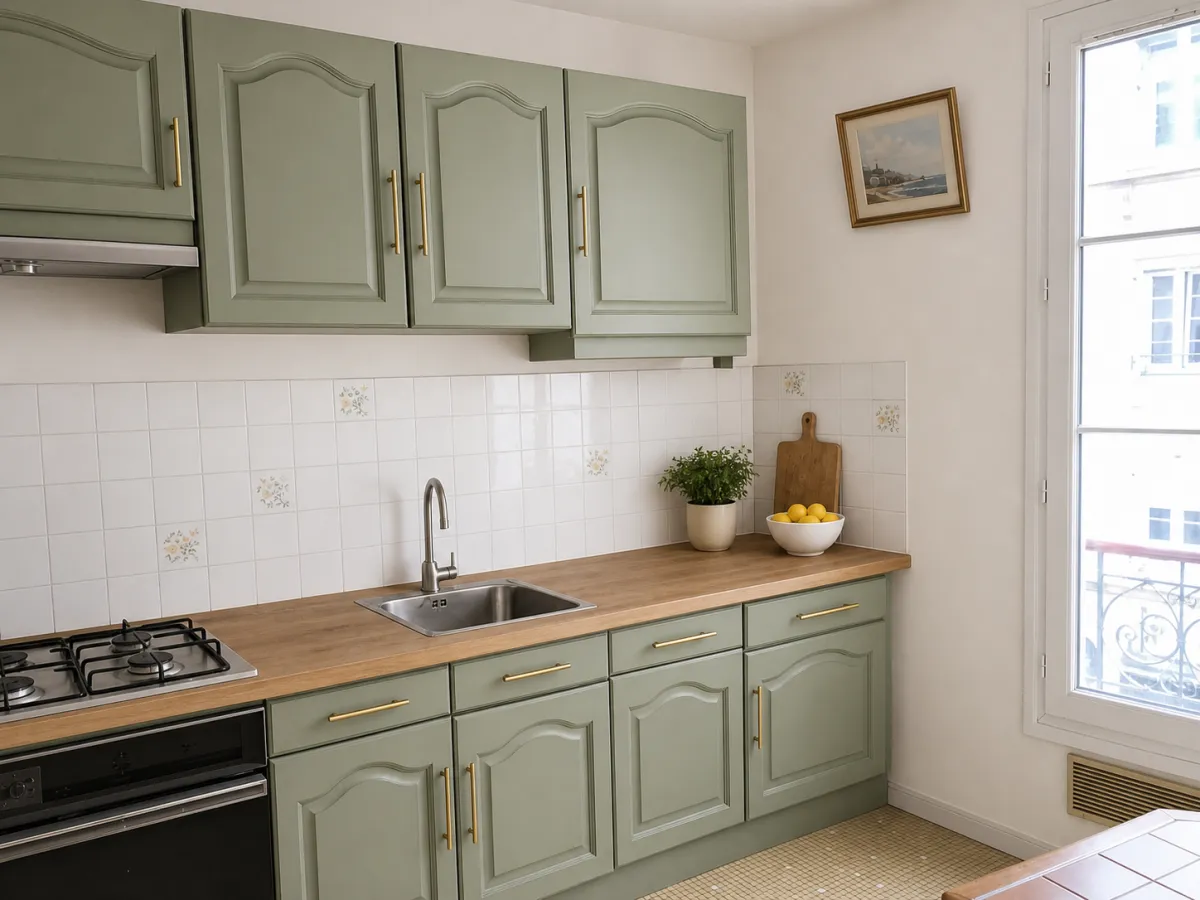 Another run from the same photo: sage green with brass hardware
Ideas worth trying
The most useful thing an AI kitchen design tool does is let you compare options you'd never pay to mock up. A few that are worth a run:
- Painted cabinets. White, sage green, navy, greige. Paint is the cheapest real-world change, and the one people hesitate over most. Seeing two or three colors on your actual cabinets usually settles it.
- Hardware. Black, brass or brushed nickel pulls change the feel of a kitchen more than you'd expect.
- Countertop and backsplash. Butcher block versus white quartz, subway tile versus zellige. Check Walls for the backsplash.
- A full style change. Contemporary, Scandinavian, French country, Japandi: run the same photo through a few and see which one fits the rest of your home.
Use the note box for preferences, too. Notes like "wood countertop look" or "no open shelves" help, not just the items you want to add. Upload your kitchen photo at the top of this page to try a few for free.
Bathrooms work the same way
The same tool handles bathrooms. Switch the room type to Bathroom, then try a new vanity color, different tiles (check Walls and Floor), or brighter fixtures and towels. Bathrooms are smaller and often shot in tight spaces, so stand in the doorway and include as much of the room as you can.
New finishes from the same photo
The AI changes finishes and decor. It doesn't move walls, windows or doors, and it keeps the camera angle of your photo. That helps keep the preview grounded in the room you photographed: a renovation direction based on your actual kitchen, instead of a fantasy room from scratch.
If you're selling, keep in mind that an AI-redesigned kitchen shows a possibility, not the property as it is. In the US, an altered listing photo needs to be disclosed; our guide to virtual staging disclosure covers the rules. roompano adds a visible AI label and C2PA content credentials to every image automatically. For listings, use it alongside the original photo and label it clearly as a renovation idea.
Getting a result you can use
Compare the three variations before you rerun anything. Kitchens are full of straight lines and small details, so look closely at cabinet edges, handles and appliances; if something looks off, run it again or add a note.
The photo matters most. A bright, straight-on shot with clear counters gives the AI the most to work with. A dark shot facing a bright window gives any AI tool less to work with.
Frequently asked questions
Is this AI kitchen design tool free?
Yes. Sign up for a free trial with no credit card required. After that, one credit covers one generation with three variations, and a failed generation is refunded automatically. See plans on the pricing page.
Can it change my cabinets and countertops?
Yes. Pick a style or describe the cabinets, hardware and countertop you want in the note box. To change the backsplash or wall color, check Walls; for new flooring, check Floor.
Will it change my kitchen layout?
It doesn't move walls, windows or doors, and it keeps the camera angle from your photo. The AI restyles finishes and decor, so the result stays tied to the kitchen you photographed.
Does it work for bathrooms too?
Yes. Set the room type to Bathroom and the same tool restyles vanities, tiles, fixtures and decor.
Do I need to install an app?
No. Take a photo with your phone and upload it in your browser. No 3D model, no measurements, no floor plan.
Updated October 9, 2026