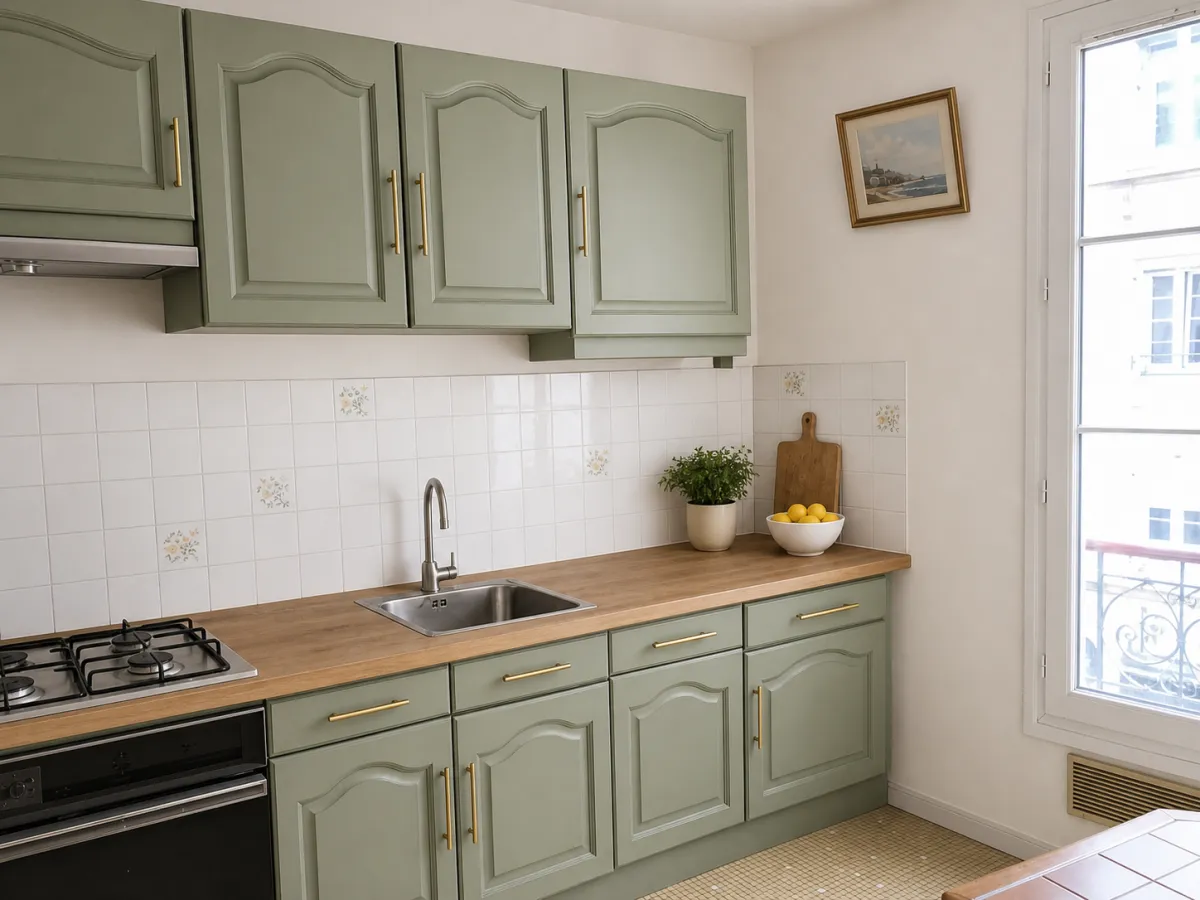
Upload a single phone photo, and roompano redesigns the room in a new style. It keeps the shape of the room, the walls, the windows and the doors, and changes the style: furniture, colors, textiles, mood. Use it to try a look before you buy a sofa or repaint, or to make a dated listing photo presentable without booking a stager.
How it works
- Upload a photo of the room. Use a sharp photo, shot straight on in good light. The less clutter and the fewer extreme angles, the better the result.
- Pick the room type and a style: Scandinavian, contemporary, Japandi, coastal, industrial, classic chic and more. By default only the furniture changes; check Floor, Walls or Ceiling if you want those redone too.
- Generate. You get three variations per credit. Try another style or add a note in plain words ("warmer wood tones", "no rug"), then keep the one you like.
Every image includes a visible AI label and C2PA content credentials, and your original photo is saved alongside it.
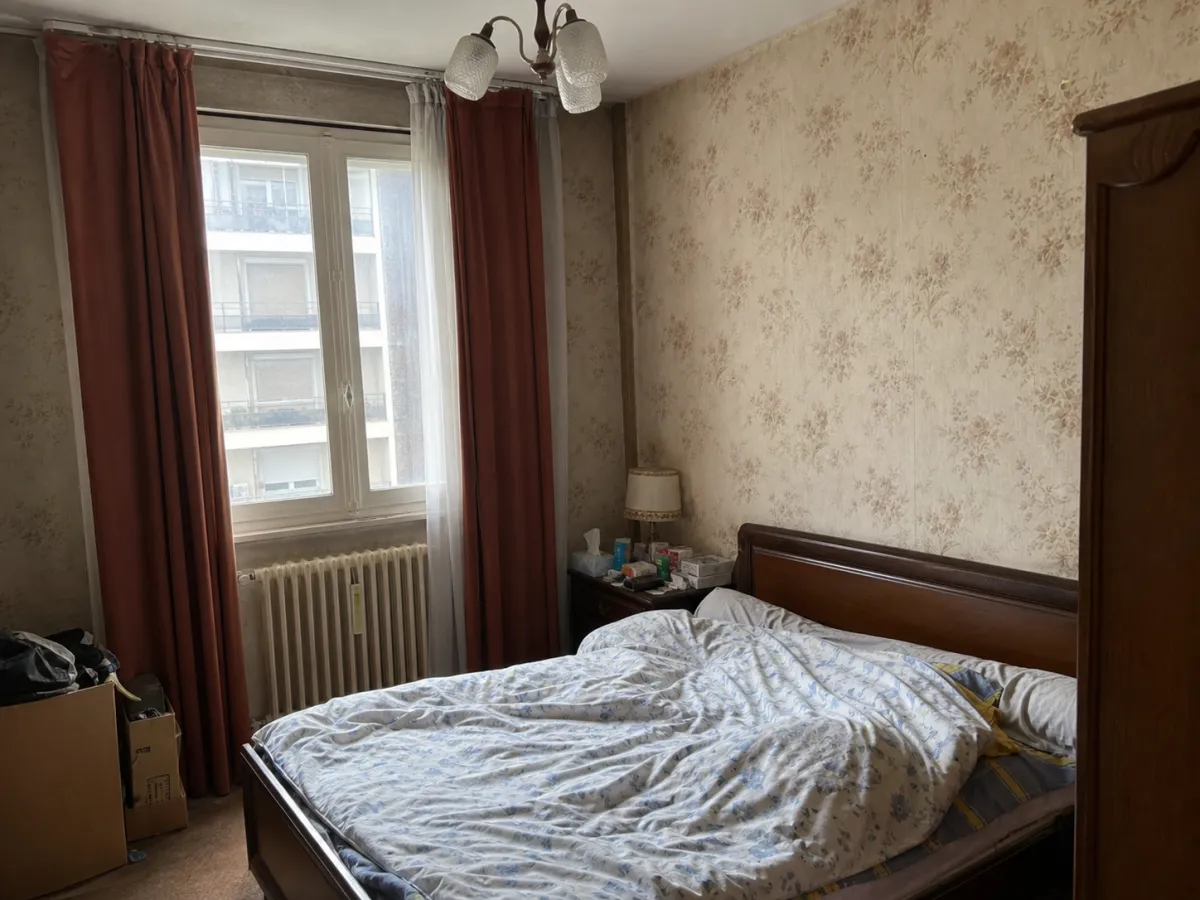 Before: a lived-in bedroom (AI-generated illustration)
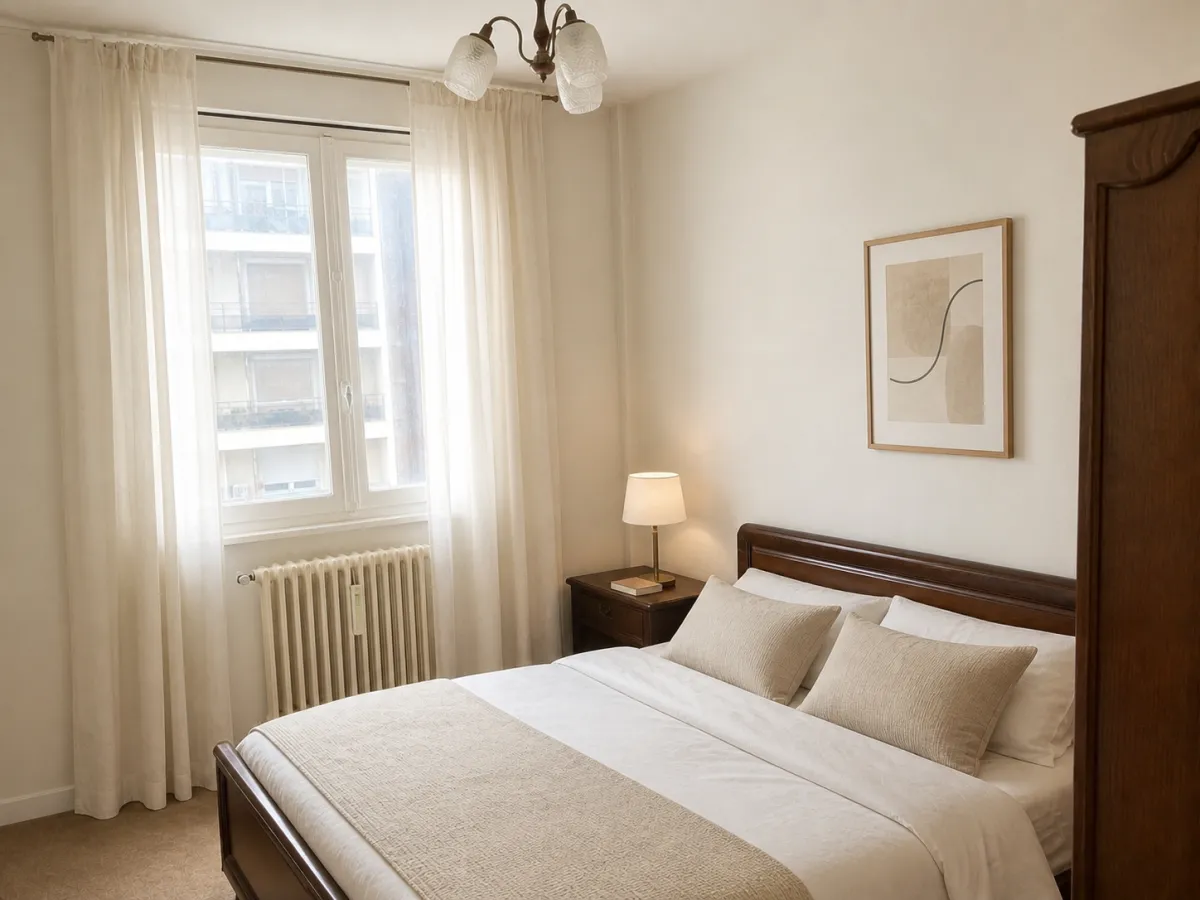 After: AI room redesign, with the furniture and window still in place
Which style to choose
It depends on why you're redesigning. For your own home, start from what you already own: if your floors are warm oak, Japandi or Scandinavian will usually feel natural; if you have dark trim and molding, classic chic or Art Deco will fit. Run two or three styles on the same photo and compare them side by side. That's often how you find out the style you like isn't the one you expected.
If you're selling, decorate for the buyer, not for yourself. Light Scandinavian or neutral contemporary suits most listings and keeps small rooms feeling light and open. Japandi adds warmth without dating the photo. Save bolder looks like boho or industrial for properties with real character, where they bring that character out instead of working against it.
Restyle, Furnish or Declutter?
Restyle, the tool on this page, starts from a furnished room and changes its style. If the room is empty, you want Furnish instead: it adds furniture at the right scale. That's what AI virtual staging does. If the room is too cluttered, Declutter clears it first. All three work on the same photo, so you can switch from the sidebar without uploading it again. Working on a kitchen? AI kitchen design covers cabinets, countertops and backsplashes.
What the AI changes, and what it keeps in place
The AI restyles what's movable and decorative. It doesn't move walls, add windows or change the size of the room. That's intentional: a redesign is only useful if it shows the room you actually have.
That matters even more when the photo goes on a listing. In the US, an altered listing photo has to be disclosed, and it still has to show the property as it is: defects, views and fixtures included. Our guide to virtual staging disclosure covers NAR ethics, California's AB 723 and seven MLS rulebooks. roompano adds the visible label and C2PA content credentials to every image automatically, and keeps the room's structure intact.
Getting a result you can use
For the best result, compare the three variations before you decide whether to run another style. AI renders can still produce an occasional artifact: a chair leg cut short, two objects overlapping, a perspective that drifts slightly. If none of the three works, run it again.
The starting photo matters most. You'll get better results from a bright, straight-on photo than from a dark room, a steep angle or a shot facing a bright window. Five minutes spent on a good photo beats ten reruns.
Frequently asked questions
Is this AI interior design tool free?
Yes. Sign up for a free trial with no credit card required. After that, one credit covers one generation with three variations, and a failed generation is refunded automatically. See plans on the pricing page.
Do I need to install an app or software?
No. A phone photo is enough, and everything runs in your browser. No 3D model, no floor plan, no measurements.
Can I use AI interior design on a real estate listing photo?
Yes, as long as the photo is clearly labeled as virtually staged and only the decor changes, never the structure or condition of the property. Restyling the decor is generally allowed when disclosed; hiding a crack or making a room look bigger is not.
How long does it take to redesign a room?
Usually under a minute per generation once the photo is uploaded and the style is chosen. Allow a few runs for a room you're really happy with.
How is this different from hiring an interior designer?
An interior designer plans a space you'll live in: layout, budget, sourcing, installation. AI room design shows you what a style would look like in your actual room, usually in under a minute, so you can try ideas cheaply before you commit to anything. Many people use both: AI to narrow down the look, a designer to make it real.
Updated October 9, 2026